The Science of Colour.
The Art of Painting.

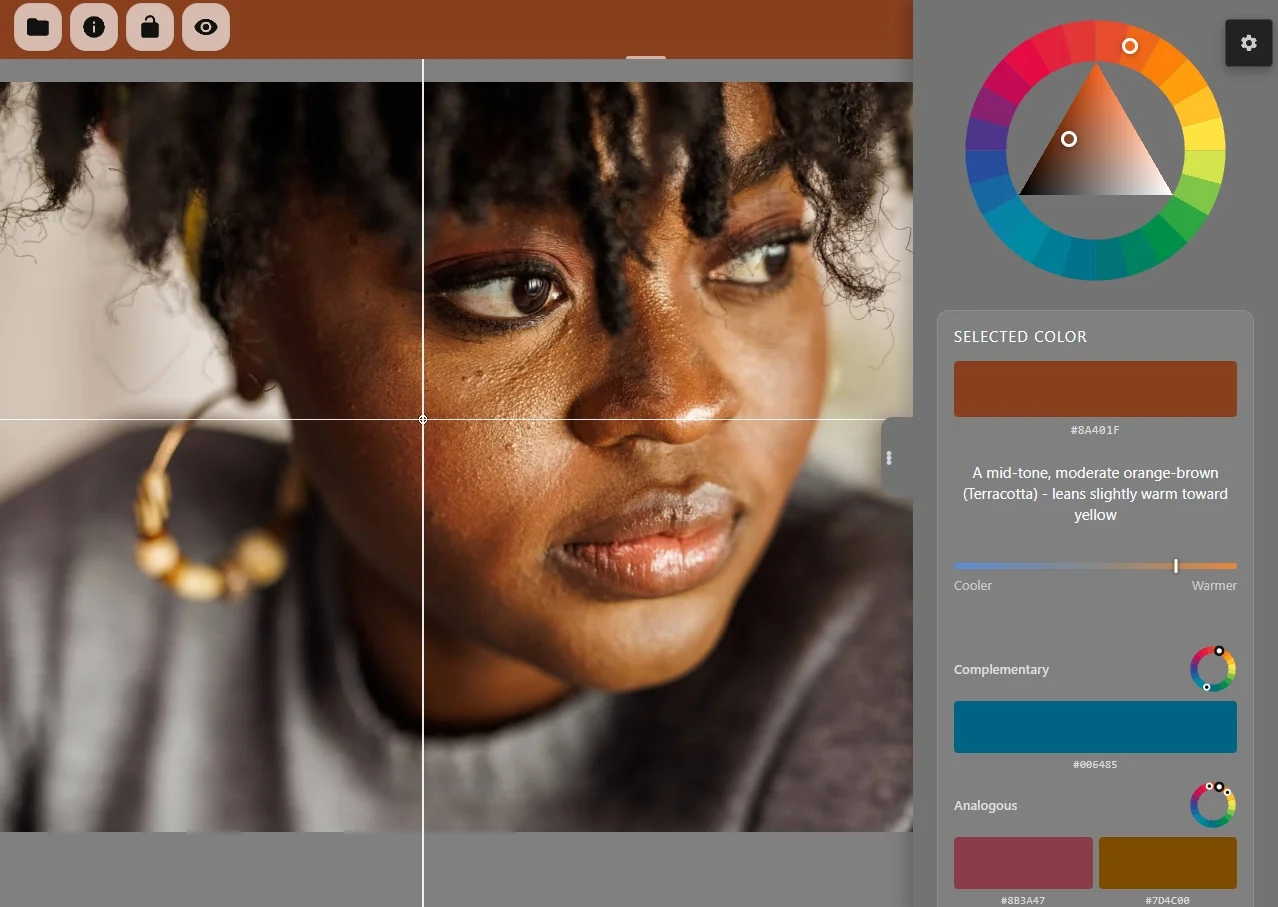
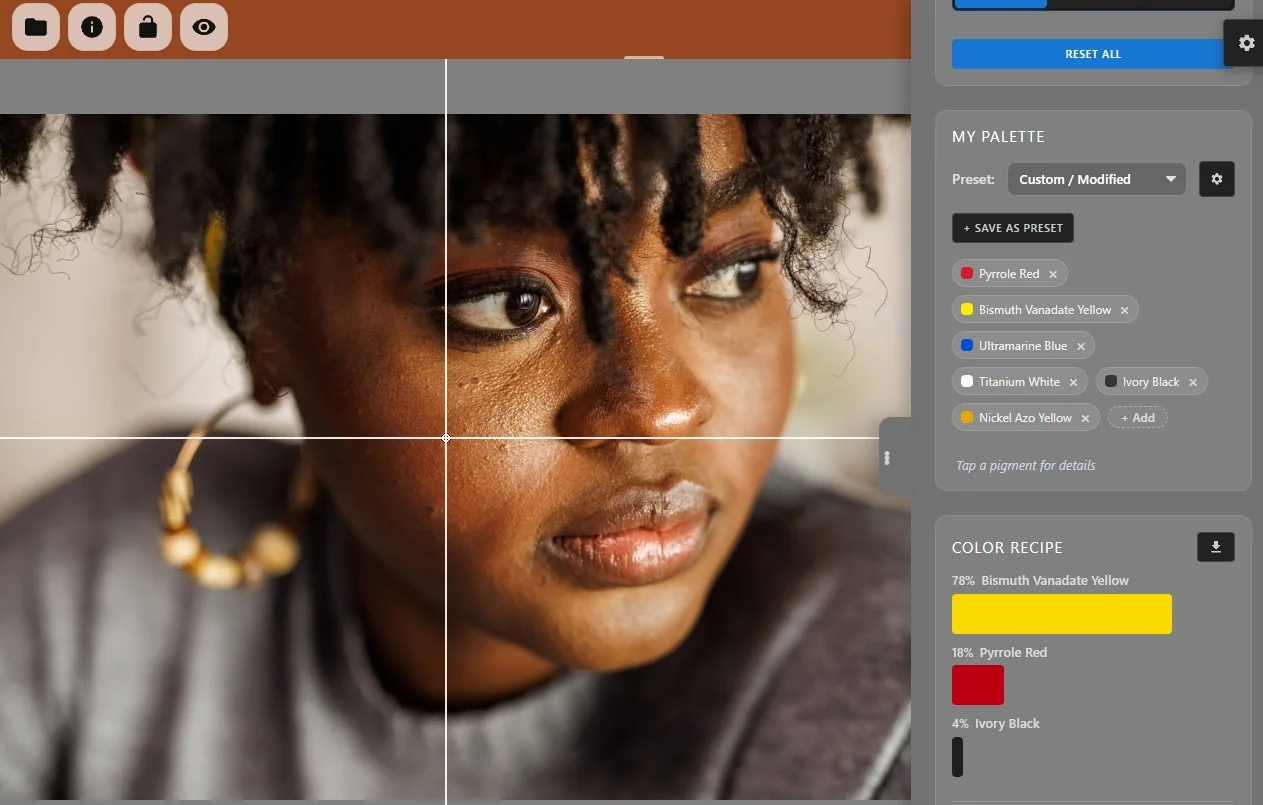
Tap a colour in your reference photo. Get the exact paint recipe using pigments on your palette.

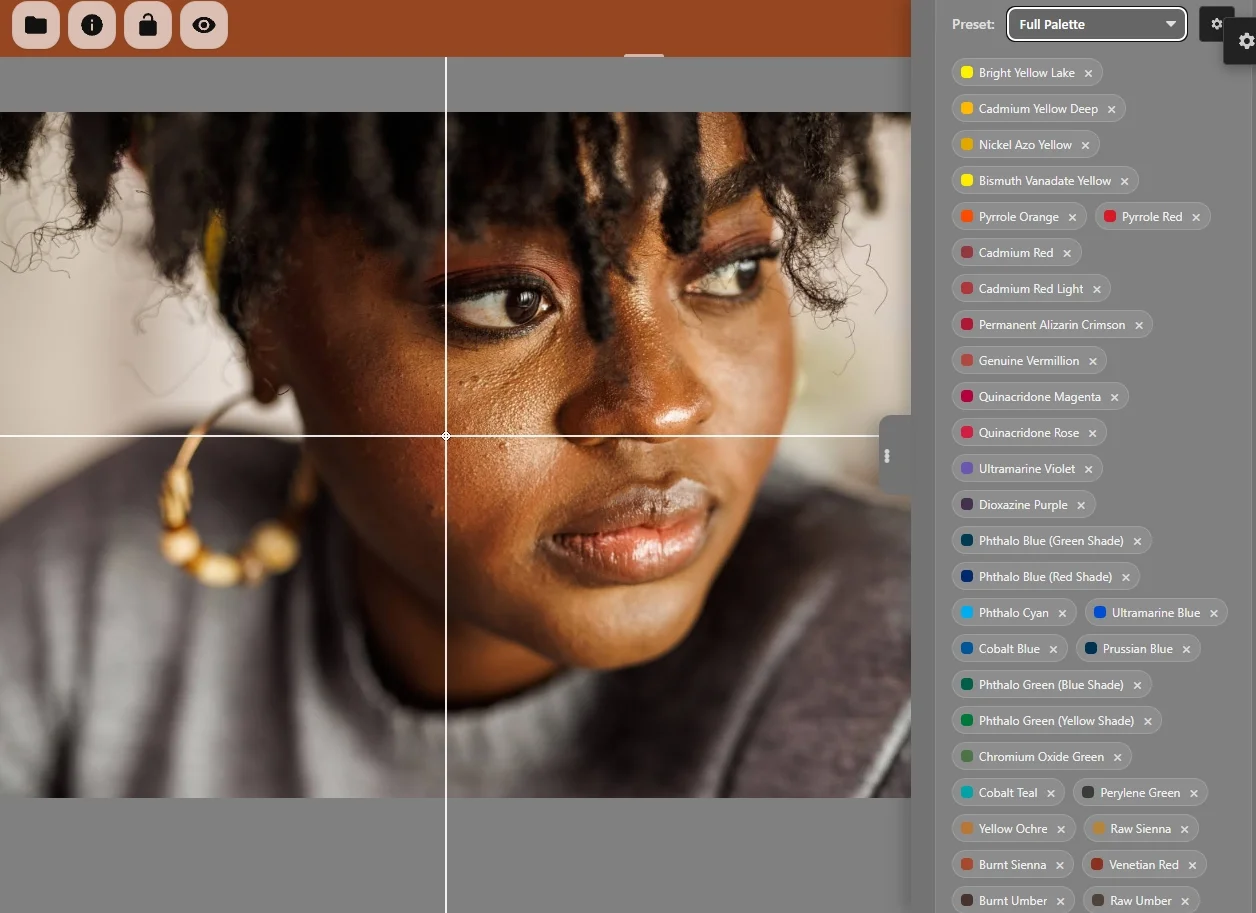
Artist Paint Mixer - Professional colour recipe interface showing pigment mixing ratios
Scan to download on Google Play Scan to Download

How it Works

Artist Paint Mixer is a pigment mixer. Load a reference photo, tap any colour, and the app calculates the exact physical recipe to recreate it using the real paints on your palette — like Cadmium Red, Phthalo Blue, or Yellow Ochre.

It gives you percentages, not hex codes. Because physical pigments behave nothing like digital light, standard colour pickers always fail painters. The human eye adds another layer of difficulty — every colour is partly defined by what surrounds it, making it impossible to judge in isolation. Artist Paint Mixer removes that guesswork entirely.

Here is something most painters have never been told: there is no mathematical formula for paint mixing. Unlike digital colour, you cannot simply calculate your way to a recipe. The only solution is simulation — and that entire process happens invisibly, every time you tap.

Master Your Composition

To help you simplify complex subjects, the app features a powerful Block-In Tool. This instantly groups the image into simplified colour masses, allowing you to see the "big shapes" before you start painting. You can analyse your reference using three specialised modes:

  • Perceptual: Matches colours based on how the human eye naturally perceives colour relationships.
  • Hue: Isolates the "Colour Family" of every area, ignoring brightness to reveal the underlying colour structure.
  • Value: Strips away colour to reveal the "bones" of your composition in a 9-step professional greyscale.

Plan Your Project

Success in painting starts before the first brushstroke. Use the Image Swatches system to build a visual roadmap for your session. You can manually save specific colour targets or use the Automatic Palette Generator to instantly identify the dominant colour harmony of your reference.

By solving these recipes in advance, you can prepare your physical paints before you start, ensuring your palette is perfectly organised and minimising paint waste before you touch the canvas.

Professional Tools for Artists Who Demand Precision

🧪

Spectral Mixing

Unlike standard apps that use digital light maths (RGB), we use spectral data to simulate how real paint pigments interact physically.

🎨

41 Pro Pigments

Our database features accurately measured reflectance data from professional grade paints, from Bismuth Yellow to Phthalo Blue.

🔍

Block-In Tool

Automatically isolate colour and value masses across your entire reference image to plan your composition with confidence.

📐

Composition Grids

Master your framing with Rule of Thirds and Golden Ratio overlays that stay out of your way while you work.

🧑‍🔬

Mix Sandbox

Freely blend any pigments from your palette and watch the result update live — powered by real spectral physics.

⚖️

Delta-E Validation

Scientific proof of accuracy. Measure the mathematical distance between your target and result.

📚

15+ Palette Presets

Start instantly with standard palettes like the Zorn Palette, Split Primary, or Earth Tones.

🔬

Advanced Analysis

Deep breakdown of every colour including hue bias, saturation levels, and value scale position.

Why "Digital" Colour Fails Painters

Standard apps use RGB Maths — the physics of light. But paint is matter. When you mix paint, you aren't adding light; you are subtracting it.

The Wrong Way

RGB "Light" Maths

Averages pixels (0-255). It assumes 50% Red + 50% Green = Yellow. In the real world, Red + Green paint makes a neutral grey-brown.

Result: Muddy Colours

What is Kubelka-Munk?

Developed in 1931, the Kubelka-Munk Theory is the gold standard for predicting the colour of layered materials like paint and ink. While RGB only has 3 data points, our engine uses the full visible spectrum (380nm to 730nm).

What makes paint mixing genuinely hard — and what sets this app apart — is that you cannot work backwards.

Even with complete Kubelka-Munk data for every pigment, there is no equation that takes a target colour and outputs a paint recipe. It is mathematically impossible.

The only approach is iterative simulation: generate thousands of candidate mixes, predict each one's full reflectance spectrum, measure how far it sits from your target, refine, and repeat.

Artist Paint Mixer runs this process invisibly, completing thousands of simulations in under a second. That is why the recipes actually work on your physical palette.

Scientific Accuracy: Delta-E Validation

See the Mixer in Action

View Full Gallery

Common Questions

Why not just use a standard colour picker?

Standard pickers give you RGB values — percentages of digital light. Even if you matched those ratios with paint, you'd get mud. Physical pigments work completely differently from digital light, which is why digital tools always fail painters. Artist Paint Mixer uses real pigment physics to calculate a recipe using the actual tubes on your palette.
Learn more about the science ↓

Does it work with Watercolours or Acrylics?

Yes. The app uses spectral data for the pigments themselves — the same Ultramarine Blue pigment is used in oils, acrylics, and watercolours alike. Whatever your binder, the fundamental colour maths is identical.

Will it work with my paint brand?

We use standardised data for 41 professional pigments shared by major manufacturers like Winsor & Newton, Michael Harding, and Daniel Smith. If they use the same pigment, the spectral data applies.

What is "Delta-E"?

Delta-E is a scientific measurement of the distance between two colours. Our accuracy metre tells you exactly how close your recipe will get to your target.

Can I use it offline in my studio?

Almost entirely. All image processing and colour mixing runs locally on your device — your photos and palettes never leave your phone. The free version displays ads, which require an internet connection; the core app works without one.

Can I use a limited palette (like the Zorn palette)?

Absolutely. You can toggle specific pigments on and off within the app. The engine then solves the colour maths to find the most accurate recipe possible using only the paints you actually have on your physical palette.

Ready to elevate your palette?

Mix with confidence. Free on Android.

Get it on Google Play OPEN INWeb App
Platform: Android 8.0+
Engine: Rust / WASM
Paints: 41 Pigments
Privacy: No data collected