A practical spectral mixing tool for painters

Artist Paint Mixer

Turn a color from your reference image into an estimated recipe using the pigments already on your palette.

From reference to palette

The app handles the calculation. You keep control of the pigments, ground and way the paint will be applied.

Choose the color

Open a reference photograph and sample the passage you want to mix.
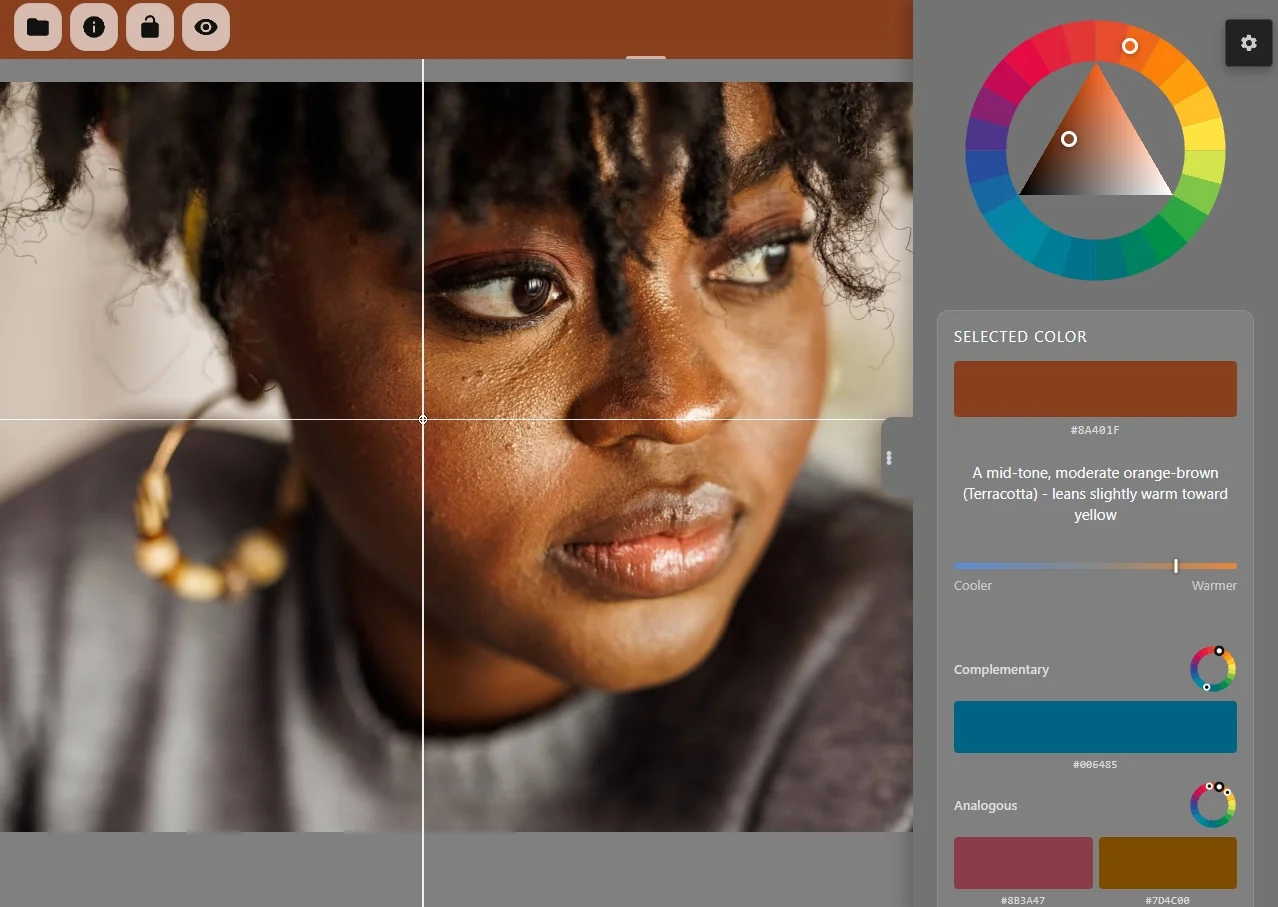
Color analysis in Artist Paint Mixer

Set your working palette

Select the tubes you own or begin with a familiar limited palette.
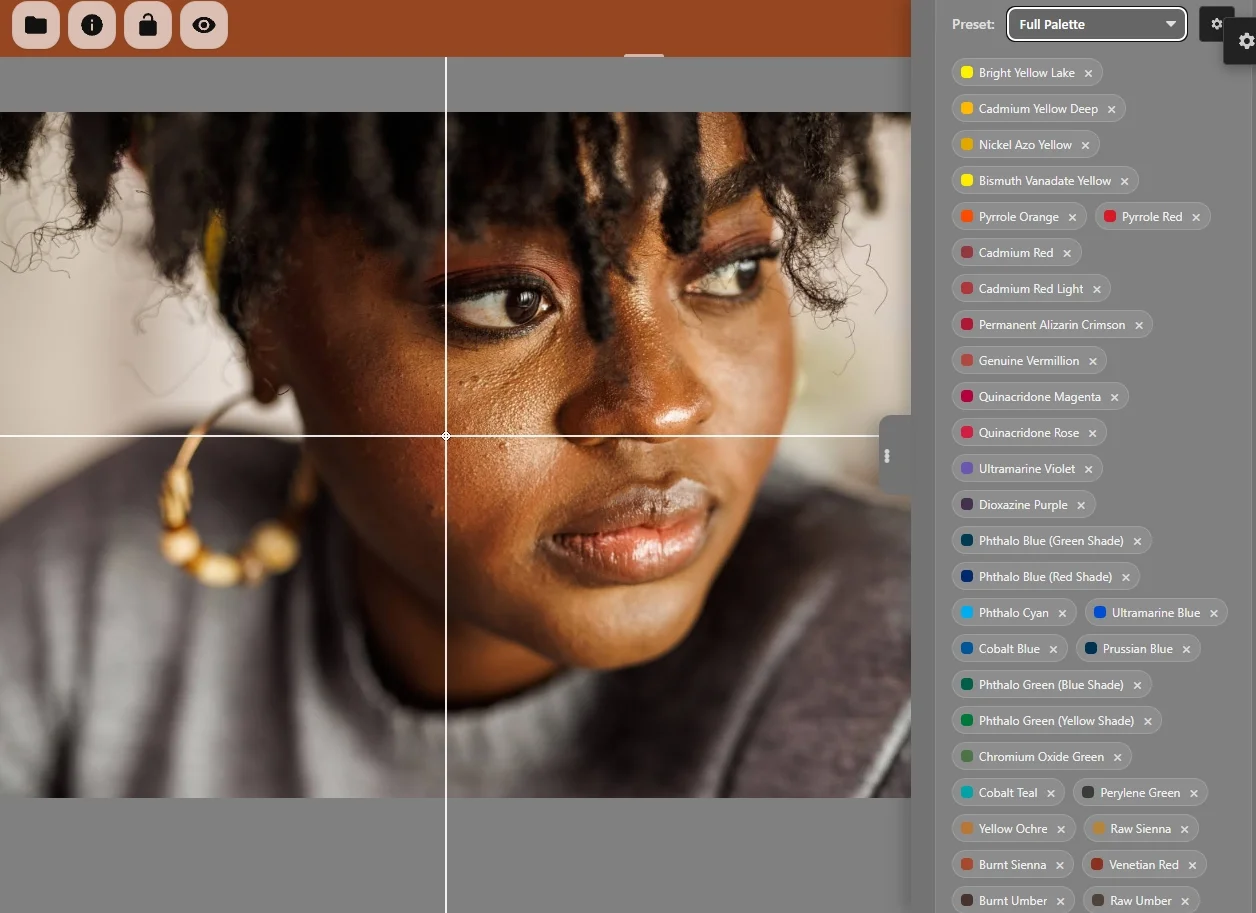
Pigment selection in Artist Paint Mixer

Mix, compare and adjust

Use the estimated parts as a starting point, then account for your brand, ground and paint handling.
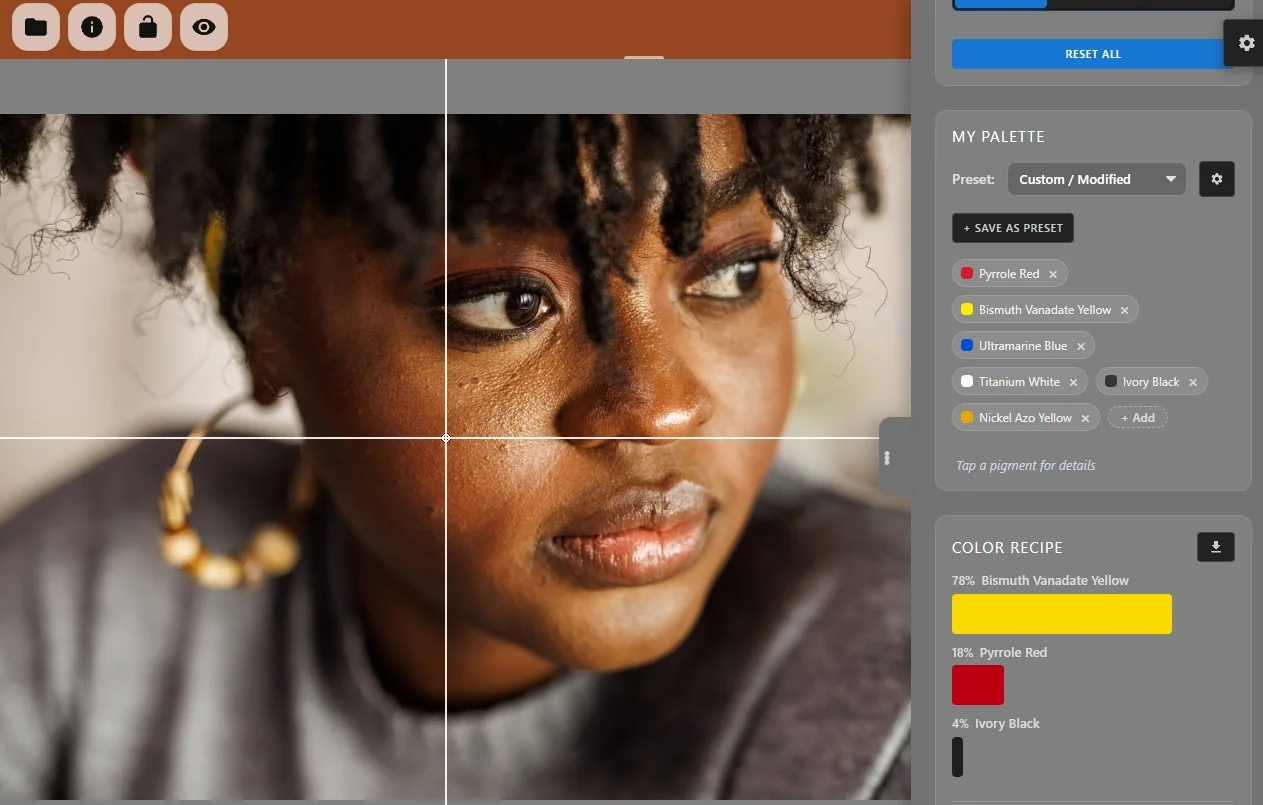
Estimated pigment recipe in Artist Paint Mixer

What the model does

A spectral calculation is more useful for paint than averaging RGB values, but it is still a model rather than a promise of an exact physical match.

Pigment data
Reflectance sampled at 31 points across the visible range.
Mixing model
Kubelka–Munk calculations estimate how pigment mixtures reflect light.
Recipe search
The solver compares candidate mixtures and returns the closest result available from your palette.
Application
Opaque paint and dry underpainting modes account for different working contexts.

Start with the paints you have

The free palette covers a useful split-primary setup. Pro adds specialist, earth and historical pigments.

Starter

Free

  • 8 essential pigments
  • Photo sampling and recipe solver
  • Mix sandbox and composition tools
Open free mixer

Pro

$5 / year

  • All 41 pigments
  • Full palette preset library
  • Ad-free Android use
See Pro in the app

Take a better starting mixture to the easel.

Open Artist Paint Mixer