Artist Paint Mixer Icon Artist Paint Mixer
  • Home
  • How it Works
  • Features
  • The Science
  • Gallery
  • Pricing
  • Contact

    Application Showcase

    Explore the high-precision interface and powerful features of Artist Paint Mixer.
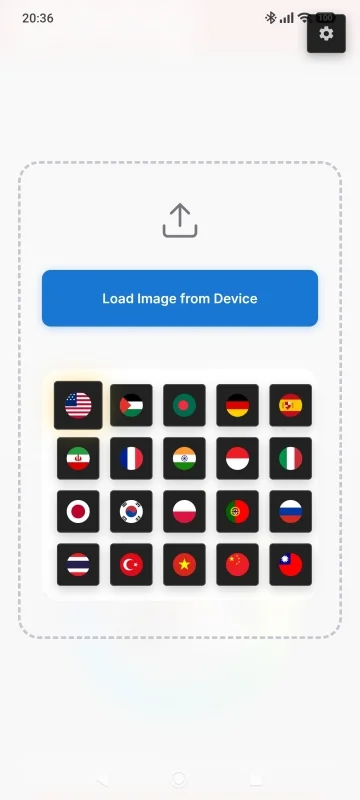
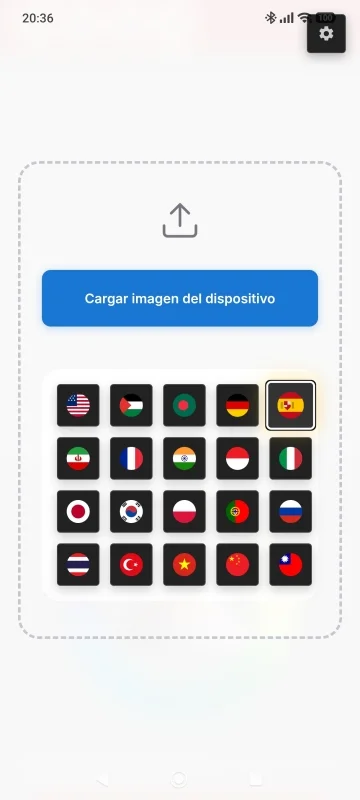
    Home screen showing the Load Image from Device button and language selection with country flags
    Home screen in Spanish showing Cargar imagen del dispositivo button with Spain flag selected
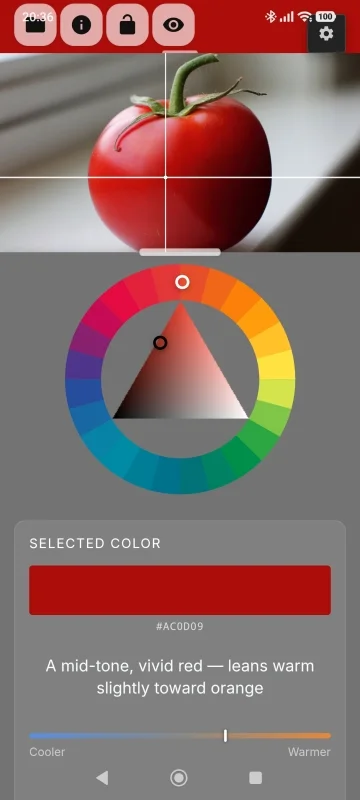
    Color wheel analysis of a red tomato showing selected color #AC0D09 described as a mid-tone vivid red leaning warm toward orange, with temperature slider
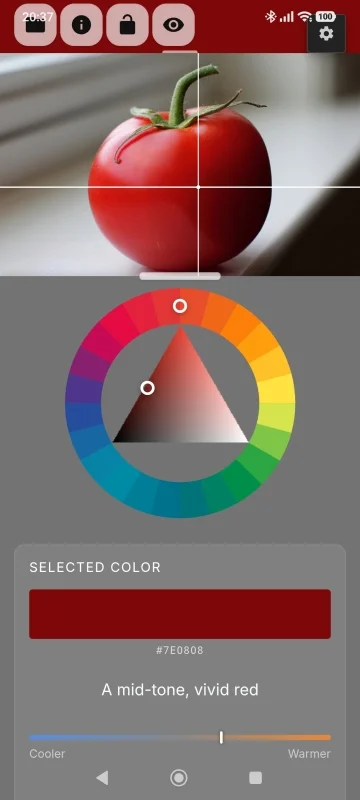
    Color wheel analysis showing selected color #7E0808 described as a mid-tone vivid red, with hue and saturation position on wheel
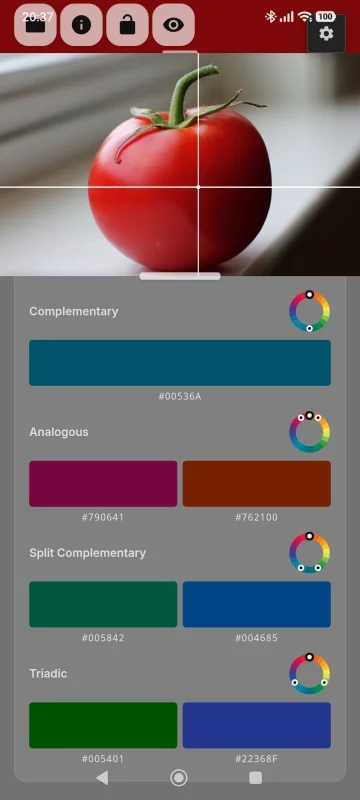
    Color harmony panel showing Complementary, Analogous, Split Complementary, and Triadic harmony relationships for the selected red
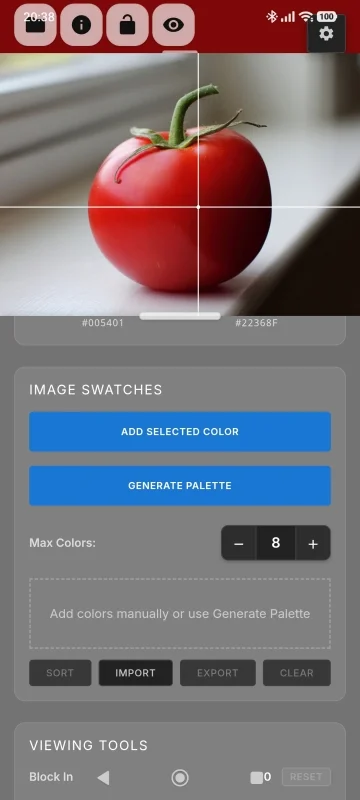
    Image Swatches panel with Add Selected Color and Generate Palette buttons, plus Viewing Tools section with Block In slider
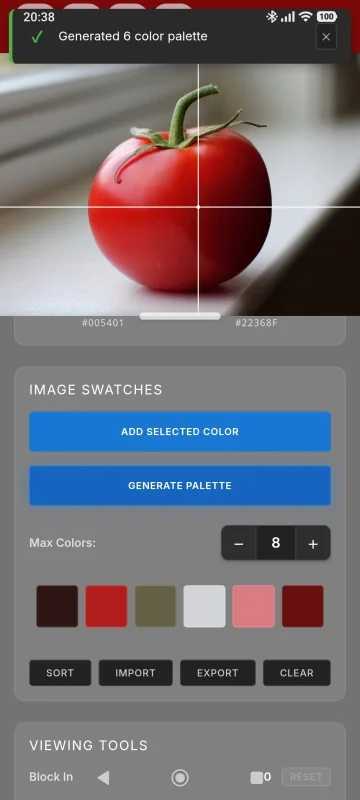
    Image Swatches panel after auto-generating a 6-color palette extracted from the tomato reference photo
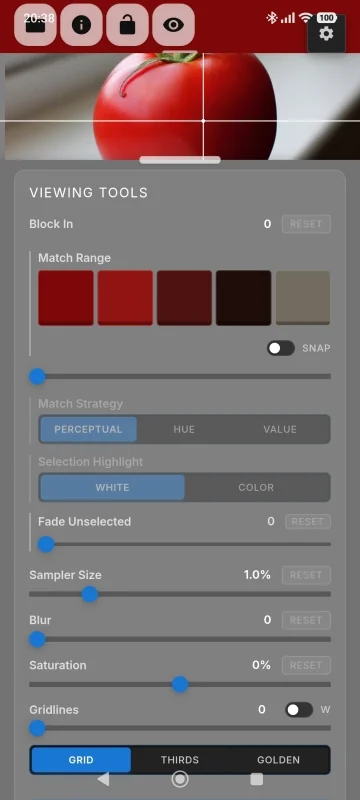
    Viewing Tools panel showing Block In slider, Match Strategy modes (Perceptual, Hue, Value), Sampler Size, Blur, Saturation, and Grid controls
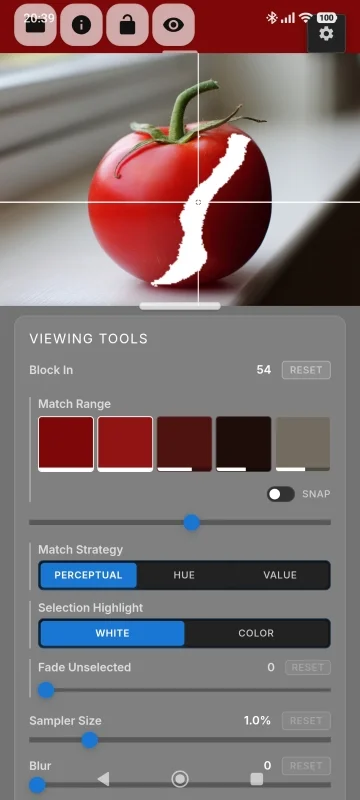
    Block-In tool in Perceptual mode at level 54, isolating a matched color mass shown in white against the reference image
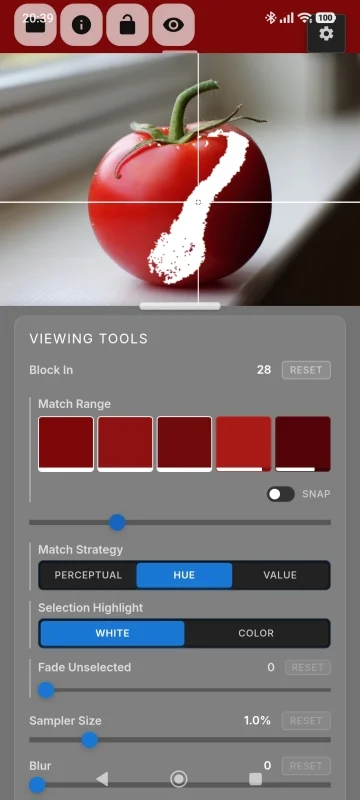
    Block-In tool in Hue mode at level 28, isolating a hue family across the reference image regardless of value
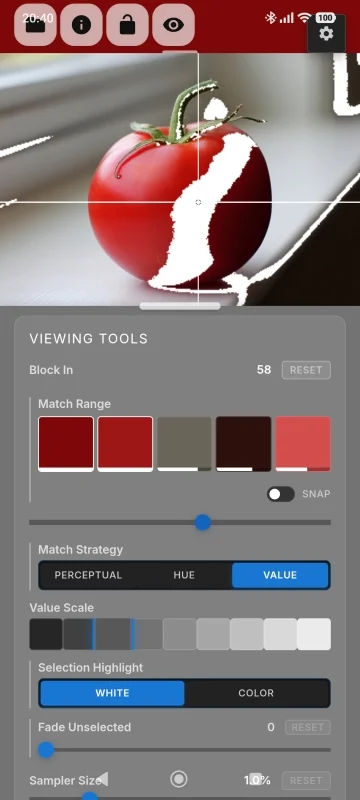
    Block-In tool in Value mode at level 58, showing the 9-step professional grayscale value scale for compositional analysis
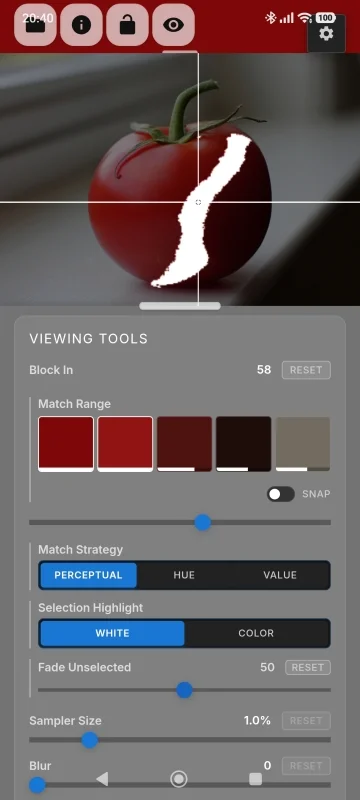
    Block-In tool in Perceptual mode with Fade Unselected at 50%, softening surrounding areas to focus attention on the isolated color region
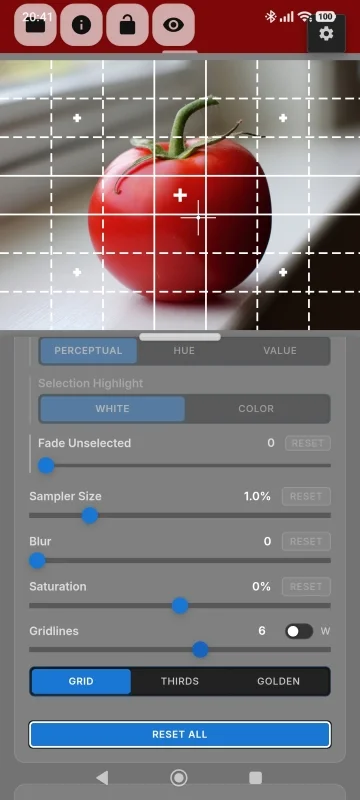
    Grid overlay tool with a 6-division composition grid applied to the reference image for framing and proportion planning
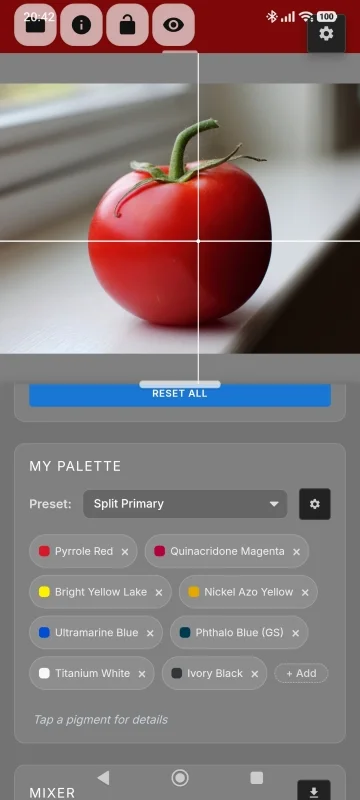
    My Palette panel with the Split Primary preset showing 8 pigments: Pyrrole Red, Quinacridone Magenta, Bright Yellow Lake, Nickel Azo Yellow, Ultramarine Blue, Phthalo Blue, Titanium White, and Ivory Black
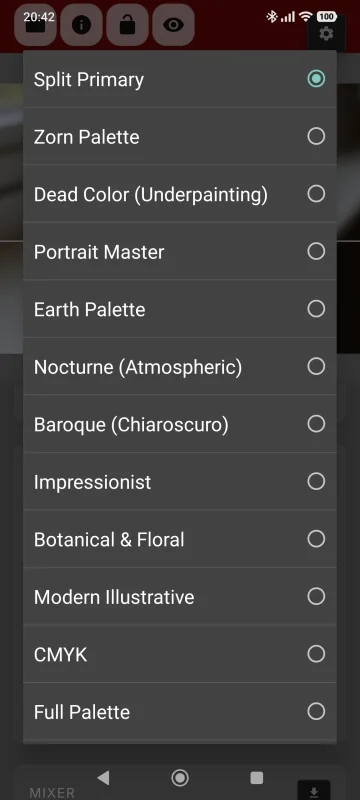
    Palette preset selector showing built-in options: Split Primary, Zorn Palette, Dead Color, Portrait Master, Earth Palette, Nocturne, Baroque Chiaroscuro, Impressionist, Botanical and Floral, CMYK, and Full Palette
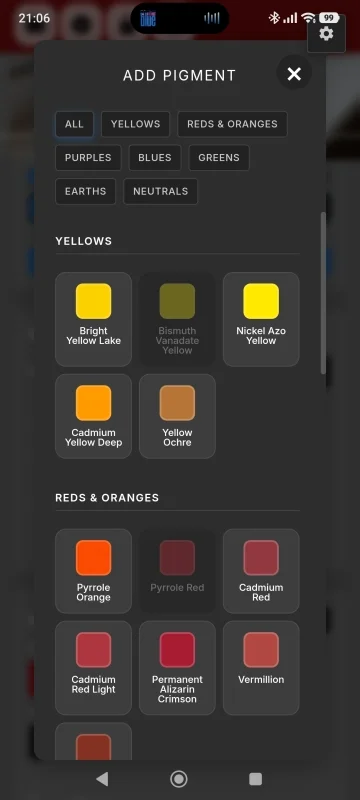
    Add Pigment modal showing pigment swatches organized by color family tabs: Yellows, Reds and Oranges, Purples, Blues, Greens, Earths, and Neutrals
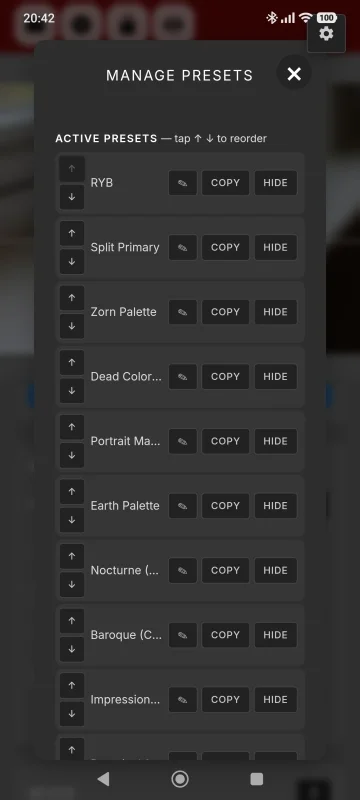
    Manage Presets modal listing all active palette presets with options to reorder with arrows, copy, or hide each preset
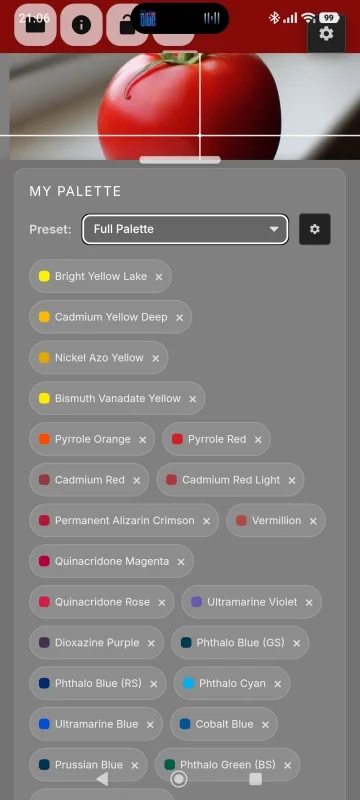
    Full Palette preset showing the complete list of 41 pigments including all yellows, oranges, reds, and blues with color chips
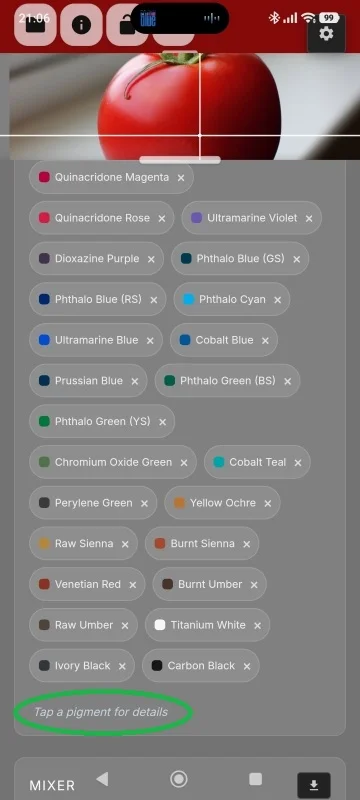
    Full Palette continued showing all greens, earth tones, and neutral pigments from Yellow Ochre through Raw Umber, Titanium White, Ivory Black, and Carbon Black
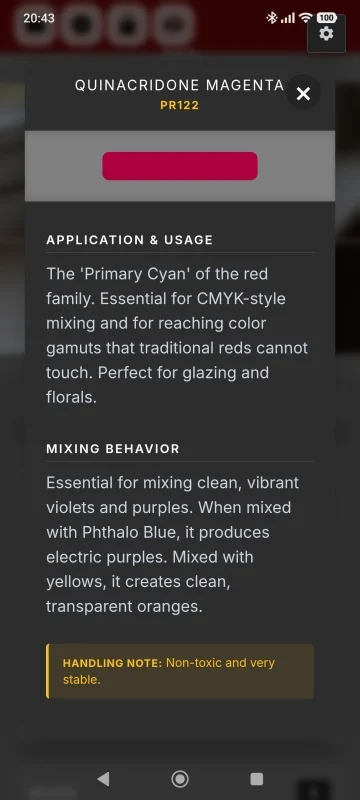
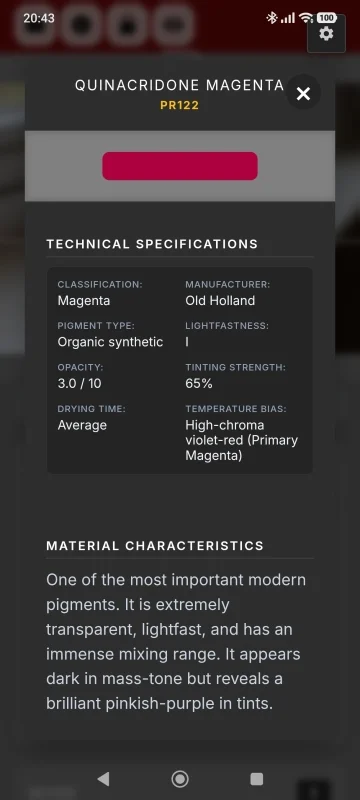
    Pigment detail card for Quinacridone Magenta PR122 showing technical specifications: Magenta classification, Old Holland manufacturer, opacity 3/10, tinting strength 65%, and lightfastness I
    Quinacridone Magenta detail card continued showing Application and Usage for glazing and florals, and Mixing Behavior notes for producing violets and purples
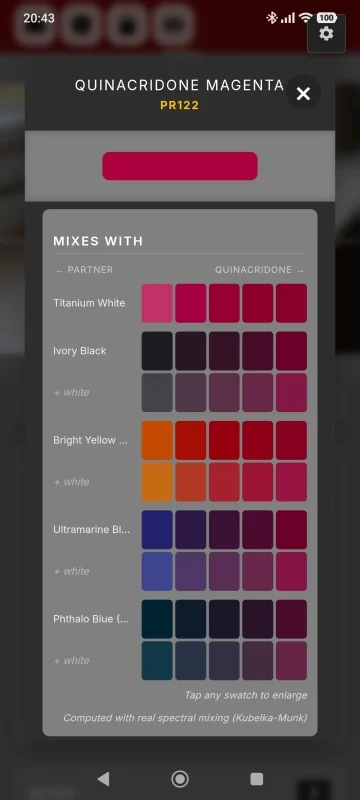
    Quinacridone Magenta Mixes With panel showing spectral mixing swatches computed with Kubelka-Munk theory for Titanium White, Ivory Black, Bright Yellow Lake, Ultramarine Blue, and Phthalo Blue
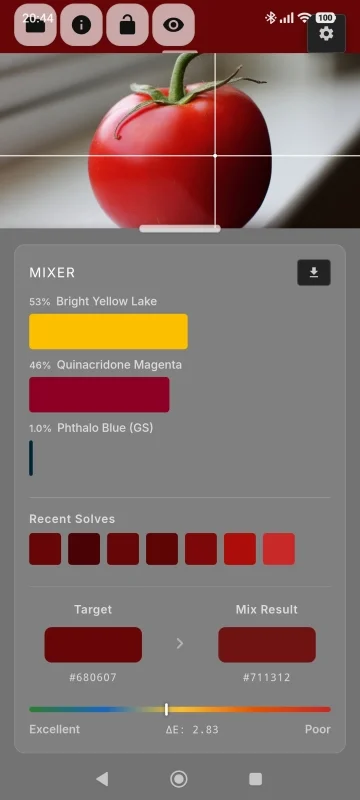
    Mixer results panel showing a recipe of 53% Bright Yellow Lake, 46% Quinacridone Magenta, 1% Phthalo Blue (GS), with Delta-E accuracy of 2.83 rated Excellent
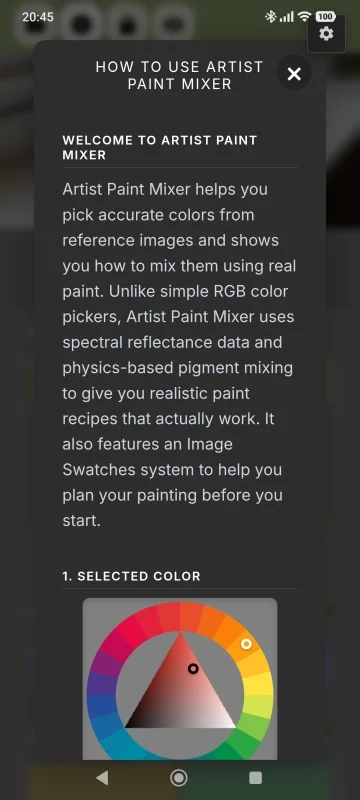
    In-app help guide introducing Artist Paint Mixer, explaining the spectral reflectance approach and Image Swatches system with color wheel diagram

    © 2026 Artist Paint Mixer. Built for painters, by painters.
    Contact Us Facebook Instagram Privacy Policy